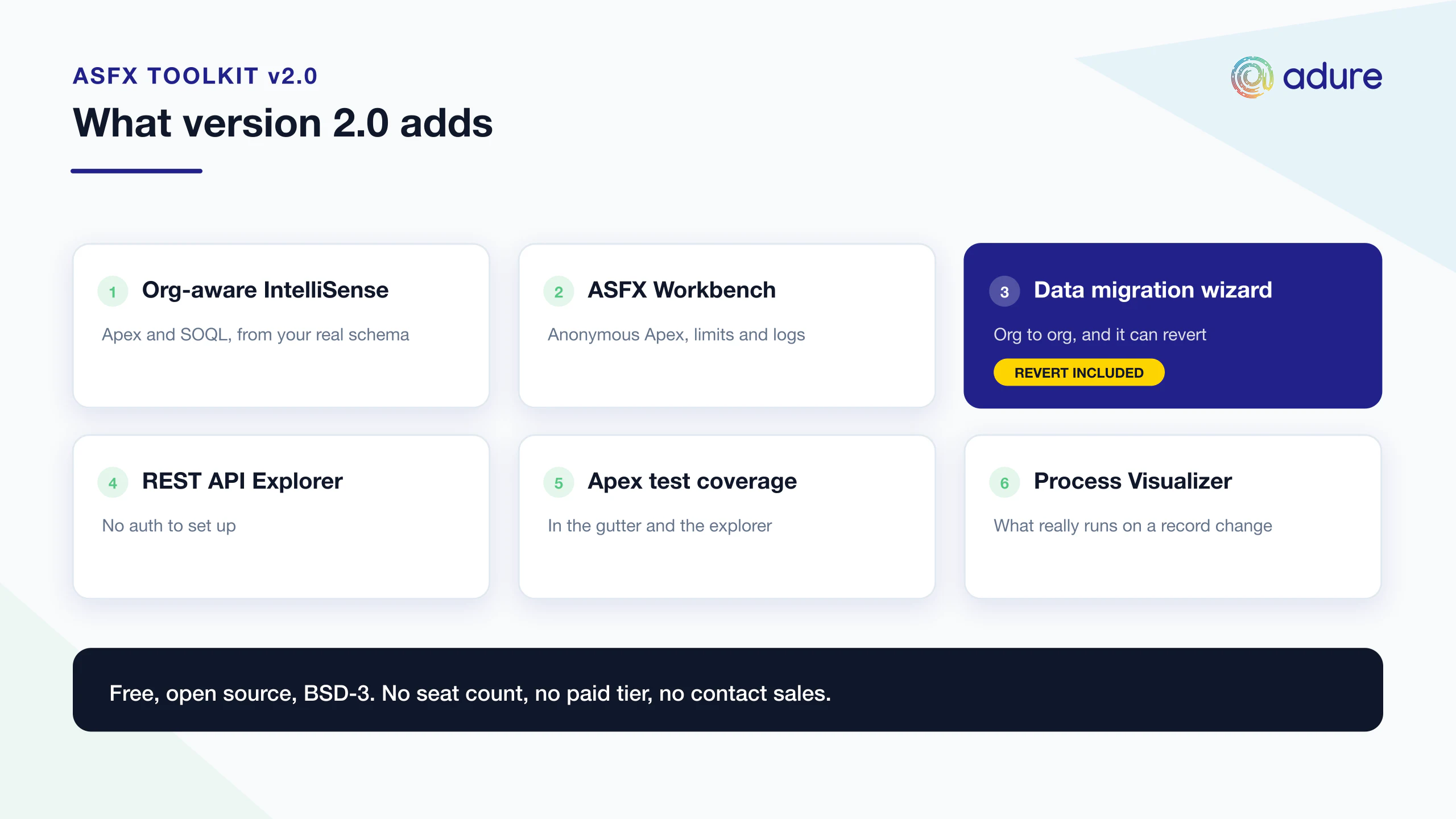
ASFX Toolkit v2.0: org-aware Apex & SOQL IntelliSense, a real workbench, and a migration wizard that can undo itself
Salesforce development in VS Code has a strange gap in the middle of it.
The editor knows your Apex classes. Your org knows your schema. Almost nothing knows both at the same time. So you type acc. and get nothing useful. You write a SOQL query, guess a field name, deploy, and find out you were wrong forty seconds later. You open Workbench in a browser tab to run one query. You open Developer Console — the tool everyone agrees is a relic — because it's still the fastest way to run anonymous Apex and see the log next to it. You migrate data between orgs with a CSV, a spreadsheet of Id mappings, and a prayer.
ASFX Toolkit closes that gap. It's a free, open-source (BSD-3) extension for VS Code and Cursor that pulls your org's live schema into the editor and puts the tools you keep leaving the editor for — Apex execution, SOQL, logs, REST, deploys, coverage, data migration — inside it.
Version 2.0 is the biggest release so far. Here's what's in it.
- Marketplace: AdureIO.sfx-toolkit · Open VSX: adureio/sfx-toolkit
- Source: github.com/AdureIO/SFX-Toolkit — issues and PRs welcome
The short version
Area | What you get |
|---|---|
🧠 Apex & SOQL IntelliSense | Completion that reads your org's real schema: fields, relationship traversal, picklist values, hover docs, find references, code actions, inline lint |
🧰 ASFX Workbench | Anonymous Apex + governor limits + debug log, ad-hoc SOQL, and log browsing in one bottom panel |
🔄 Data Migration Wizard | Org → org object trees with automatic Id remapping — and a revert that restores what it overwrote |
🔌 REST API Explorer | Postman for your org, with nothing to authenticate |
✅ Apex test coverage | Coverage % badges in the explorer, line highlights, and a worst-first coverage panel |
🗺️ Process Visualizer | What actually runs when a record changes, in execution order, including the Apex call chain |
📦 Package Explorer | 2GP packages, versions, install links, promote/install/upgrade from the Dev Hub |
🛠️ Deploy flow | Presets, searchable history with one-click re-run, named test suites, post-deploy coverage |
It activates only in folders containing an sfdx-project.json. Outside a DX project it is completely inert.
1. Org-aware Apex & SOQL IntelliSense
ASFX Toolkit ships its own language server, and it needs no Java to run. It works alongside the official Salesforce Apex extension rather than replacing it, and adds the one thing that extension can't: live schema from your connected org.
SOQL that knows your org
Completion works in .soql files, in inline [SELECT … ] queries inside Apex, and inside Database.query('…') strings.
- Object completion after
FROM, field completion inSELECT,WHEREandORDER BY, each with a type badge. - Relationship traversal —
Account.Owner.Nameresolves through__rlookups, as deep as you want to go. - Child-relationship subqueries — start `(SELECT … FROM ` and the valid child relationships are right there.
- Type-aware
WHEREoperators and picklist value completion — no more guessing whether the API value isClosed WonorClosedWon. - Rich hover. A field shows type, label, length, help text and picklist values. An object shows label, key prefix, custom flag, CRUD flags, field and relationship counts, and the admin's Description.
The description an admin wrote three years ago explaining why Legacy_Sync_Key__c exists is normally invisible to developers. Now it's in a hover.
Apex completion, additively
- Member completion via declared types —
acc.gives youAccountfields;myService.gives you your own class's members. newconstructor completion that suggests the type being assigned first (Account a = new |).- SObject type names in declarations, casts, generics and
instanceof. - Outline, syntax diagnostics, go-to-definition (in-file and cross-file), and signature help.
- Find references — every usage of a symbol, with locals correctly scoped to the method that declares them. Two methods reusing the name
recordsnever bleed into each other's results. - Annotations and snippets — completion after
@(@IsTest,@AuraEnabled(cacheable=true),@InvocableMethod,HttpGet/HttpPost…), plus statement snippets forsysdebug,soqlfor,testmethod, batchable/queueable/schedulable shells, triggers, asserts and DML. Standard exceptions complete insidecatch (…). - Code actions — surround with try/catch, migrate
System.assert*→ the modernAssert.*methods, generate a constructor, implement a standard interface, generate a test class. - Inline lint — SOQL/DML in loops, hardcoded record Ids, leftover
System.debug, missing sharing declaration. The same rules that fail your code review, flagged while you type. - Org-aware extras — SOQL bind variables,
Trigger.new/Trigger.oldtyping, SOQL date literals, aggregate functions andFIELDS(), workspace symbols, and polymorphic-aware lookup typing.
The details that make it usable at scale
Autocomplete on a real enterprise org is mostly a ranking problem. Three deliberate choices:
- Result weighting.
*History,*Share,*Feedand*ChangeEventobjects, plus standard audit fields, sink below the business objects and fields you actually use. - Namespace-optional matching. If your
sfdx-project.jsondeclares a namespace, typingWidget__cmatchesns__Widget__c. The namespace stays in the inserted code; only the matching is optional. - Per-document org resolution. Nested and multi-package projects each resolve their own default org, so
billing/force-app/...uses billing's org, not the workspace's.
Schema comes from your default org, and refreshes when you switch orgs, pull, or ask it to. There is no token to paste and nothing to configure — if the CLI can reach your org, so can the toolkit. The same schema also grounds AI assistants like Copilot and Cursor in your real fields instead of their hallucinated version of them.
LWC → Apex, properly wired
- Cmd+click an imported Apex method lands on the class and method itself, not on a generated stub file.
- Typings are generated from your real
@AuraEnabledsignatures, with actual parameter and return types, and regenerate as those change. - Custom Apex types become TypeScript interfaces instead of
any— inner classes included. - A CodeLens on every
@AuraEnabledmethod shows how many LWC components import it. Click to peek the call sites. This is the "can I safely change this signature?" question, answered inline. - Completion and go-to-definition for
@salesforce/label,resourceUrlandmessageChannel, plus a usage CodeLens on<c-…>component references. - If a component's IntelliSense is broken —
c/*imports not resolving, subdirectories ignored — Tools → Repair → Repair LWC jsconfig fixes eachlwcfolder'sjsconfig.json. Nothing under Repair ever runs on its own.
The same idea reaches REST: a Test in REST Explorer CodeLens on @RestResource methods opens the REST panel prefilled with the apexrest URL and HTTP method.
Every piece of this is individually toggleable. If you want to defer entirely to the Salesforce extension for Apex and keep only the SOQL features, that's one setting.
2. ASFX Workbench — the Developer Console replacement
One bottom panel, three tabs, a shared org selector and trace indicator.
Execute — run anonymous Apex with org-aware completion, and watch the debug log and governor limits render side by side as it runs. Cmd/Ctrl+Enter to execute. Open the result in an editor, or replay anything from history.
SOQL — fire a quick query at the selected org, browse results in a table, export, or jump to the full SOQL Builder & Editor.
Logs — browse the org's debug logs in a syntax-highlighted viewer that colour-codes USER_DEBUG, execution markers and limit usage.
That's the Developer Console loop — write Apex, run it, read the log, check limits — without the browser tab, without losing your editor state, and with completion that knows your schema.
Logs, filtered
Debug logs are 40,000 lines of which you want nine.
- Debug filter (
Cmd+D/Ctrl+D) — onlyUSER_DEBUG, errors and exceptions. - SOQL & DML filter — only
SOQL_EXECUTEand DML operations. This is your N+1 detector. - Live polling for new logs in the background, Quick Trace to set a trace flag on yourself in one click, and Delete All Logs, which clears the org and your local cache together.
SOQL Builder & Editor
Beyond the quick tab: object/field completion, an optional visual builder, an interactive results table where you can edit records inline and save back to Salesforce (or discard), CSV/JSON export, and per-workspace query history and saved queries.
3. Data Migration Wizard — the one that can undo itself
Moving a related set of records from one org to another is one of the most tedious jobs in the Salesforce world. Export parent, export children, insert parents, build a spreadsheet mapping old Ids to new Ids, VLOOKUP the lookups, insert children, discover the junction object needed both sides first, start over.
ASFXT: Data Migration Wizard does the whole thing.
Step 1 — Source & Target. Choose what the run produces (Org → Org, or an Apex script / CSV / JSON file), pick the orgs, write a root SOQL query, name it or load a saved preset.
Step 2 — Object Tree. Child relationships are described lazily into a checkable tree at unbounded depth — check Contacts under Account, then Cases under Contact, and so on. Per object, pick the fields and an external ID / upsert key. Fields the target org can't accept, and ones it assigns itself (Owner, Record Type, audit fields), are listed as excluded with the reason rather than silently dropped. Silent drops are how migrations lie to you.
Step 3 — Overview and run. Lookups that can't be preserved are reported before you start, together with the objects you'd need to add to fix them — not in a modal after you've committed. Then it runs, with per-object progress.
Referential integrity is the core of it. Every lookup is remapped to the record the run actually created; a source Id never reaches the target org. Self-references like Account.ParentId survive the trip. Objects go in an order that respects the tree, so a junction object lands after both of its parents rather than failing halfway through.
And it can undo. Before it overwrites a row, it reads what was there — so it can put it back. The results table lists every record created and every record overwritten — old value beside new, with Ids linking into their respective orgs — each with a checkbox. Revert the whole run, or just part of it. Reverting restores overwritten rows and deletes created ones, children before parents. There's also Revert on failure, which does it automatically if any record fails.
Presets save per project (config/asfx/migrations — committable, so your team shares them) or globally. Loading one re-describes against the org, so fields, relationships and upsert keys are verified as real; anything the org no longer has is reported rather than assumed.
Export instead of migrate. The same selection and the same rules can produce a file instead. The Apex output is an Anonymous Apex script that resolves lookups through the parent's external Id where one exists, upserts on that key so it's safe to re-run, and splits itself into parts that each fit inside the Execute Anonymous window. That's your deployment-friendly reference-data script, generated.
Large datasets are handled without the row limits you hit on the command line, and a single bad record fails on its own with a readable error rather than taking the batch down with it. Writing into a production org is confirmed first.
And plain Data Export / Import
For the simpler case, ASFXT: Data Export / Import: export any SOQL query to CSV or JSON in your workspace, or import a CSV with preview and auto-guessed SObject — Insert, Update, Upsert (single external-ID field, or a 2–3 column composite key resolved client-side when no external Id field exists), or Delete. Live progress, per-record errors, results summary.
4. REST API Explorer — Workbench, in your editor
ASFXT: REST API Explorer is a Salesforce REST client with zero auth setup.
- Org selector with automatic
Authorization: Bearerinjection from the CLI session. - GET / POST / PATCH / PUT / DELETE, relative or full URLs, with
{version}substituted from your configured API version and the org'sinstanceUrlprepended. - Headers and JSON body editors, and 10 quick templates: List SObjects, Describe SObject, SOQL Query, Get/Create/Update/Delete Record, Composite API, API Limits, SOSL Search.
- Request history of the last 10 calls — click one to reload it.
- Response viewer with a colour-coded status badge, timing, resolved URL, pretty syntax-highlighted JSON, a response headers table, and copy-body.
Calls go straight from the editor to your org — no browser session to keep alive, and none of the cross-origin errors that come with running a REST client in a browser tab.
5. Apex tests and coverage where you can see them
Coverage numbers are useless in a report you have to go and open. ASFX Toolkit surfaces org-wide Apex coverage three ways, all kept in step automatically. Run your tests with coverage — from this extension or from the Salesforce one, it doesn't matter which — and all three update on their own.
- Explorer badges — every
.clsand.triggershows its coverage % right in the file tree. Hover for exact covered/total lines. - Coverage panel (
ASFXT: Apex Coverage) — overall org %, a count of classes below 75%, and a worst-first, searchable table with a below-threshold filter. Click a row to open the class. - Line highlights — opt-in, persisted covered/uncovered decorations in the open class, live while enabled.
Plus Apex CodeLens: run a single test method or a whole test class straight from the code, and Apex Snippets — save, organize, run, edit and delete reusable Apex from the sidebar.
6. Process Visualizer — what actually runs on save
ASFXT: Process Visualizer answers the question every Salesforce developer inherits on day one of a new project: when this record is updated, what actually happens, and in what order?
- You pick the objects first, then build — so the graph stays readable instead of trying to render the entire org.
- An execution-order spine: before triggers → validation rules → after triggers → flows → workflow rules, with every automation placed on the phase it really runs in.
- Full call chains.
Contact → before update → (trigger → ClassA → ClassB → field is set). Apex bodies are scanned for calls and field writes; test classes are excluded. - Automations sharing a phase are grouped in a labelled box with a single edge onward, instead of a fan of crossing lines.
- Scheduled and autolaunched flows link to the objects they operate on with a dotted edge.
- Labelled edges, collision-free layout, re-layout when you filter, search that navigates to each hit, and right-click to open any component in the org.
Its sibling, ASFXT: Object Visualizer, draws an ERD of the objects you pick with their relationships and fields inline, and can pull in every object that lives in your SFDX project in one click.
Between them, that's most of an org audit — the two documents you'd otherwise spend a week producing by hand.
7. Deployment, source, and org management
Source operations — smart Push (diff deploy for source-tracked orgs, sequential package deploy otherwise), Push (Force), Pull, contextual Deploy/Retrieve for the open file, and Reset Source Tracking.
Deploy Metadata panel — select paths, pick a test level, target any org; the panel always deploys exactly what you picked (source-tracking conflicts overridden). Around that:
- Test Coverage Display — post-deploy per-class coverage, colour-coded (≥75% green / ≥50% amber / <50% red) with an overall average.
- Deployment History — every deploy persisted with status, duration, test results and timestamp. Search it, re-run any of it in one click.
- Named Test Suites — save groups of test classes alongside a preset and reload them instantly, instead of ticking the same fourteen classes every time.
- Deployment Presets for configurations you reuse, and a source tree that picks up your changes the moment you save.
Org Explorer — every connected org, scratch org and Dev Hub in one view, with open-in-browser, set default org / Dev Hub, copy username, rename alias, generate scratch-org password, delete/logout. Plus a Scratch Org Wizard, or Quick Scratch with sensible defaults in one click.
Package Explorer (2GP) — browse every package in your Dev Hub and its versions newest-first, with subscriber (04t) and package (0Ho) Ids as click-to-copy chips, released/beta status and aliases from sfdx-project.json. Copy a Prod or Sandbox install URL, the sf package install command, or a paste-ready dependency snippet. Install into any org, promote to released, update, delete or rename. An Installed in org tab lists what's installed anywhere with upgrade badges when your Dev Hub has something newer, and one-click Upgrade/Uninstall. Optional per-version code-coverage column, and Markdown/CSV export of a package's versions.
Org Health Dashboard (ASFXT: Org Health) — a sortable, filterable view of your org's limits (API requests, storage, async Apex, streaming events…) with used/max, remaining, and colour-coded usage bars. The five-second check before you ship a batch job.
Custom editors for Permission Sets (.permissionset-meta.xml) and Scratch Org Definitions — real UIs instead of raw XML — plus .gitignore/.forceignore helpers and a toggle to hide *.cls-meta.xml sidecar files from the explorer.
8. Errors you can act on
Every failed CLI or command operation — push, pull, deploy, retrieve, test run, scratch org — now opens one panel containing: the exact Salesforce message, a plain-language cause and fix where the error is recognised, a click-through to the offending file, and the original payload on demand. The full payload still goes to the output log; the panel never replaces the record, it just stops you from having to read 200 lines of JSON to find out you forgot to authorise an org.
Getting started
- Install from the VS Code Marketplace or Open VSX (for Cursor, VSCodium and friends).
- Open a folder containing an
sfdx-project.json. - Make sure the Salesforce CLI (
sf) is installed and authenticated to your orgs — that's where auth comes from; there are no tokens to paste anywhere. - Set a default org and start typing. Schema loads in the background.
Requirements: VS Code 1.80+ or Cursor, a Salesforce DX project, and the sf CLI. The official Salesforce Apex extension is recommended — ASFX Toolkit's Apex IntelliSense runs alongside it. SOQL features work without it.
On privacy: the extension collects anonymous usage counts (which commands are used, durations, success/failure, coarse error categories) to prioritise development. It never collects tokens, usernames, org Ids, record Ids, file paths, SOQL/Apex text, or query results. Opt out with adure-sfx-toolkit.telemetry.enabled: false — and it honours VS Code's global telemetry.telemetryLevel too.
It's open source — help us make it the default
ASFX Toolkit is BSD-3 licensed and built in our spare time. There's no paid tier, no seat count, no "contact sales."
If it saves you time, the things that genuinely help:
- ⭐ Star the repo — github.com/AdureIO/SFX-Toolkit
- 🐛 File issues. Bug reports on real orgs are worth more than feature requests, and enterprise-scale orgs surface things scratch orgs never will.
- 🔀 Send PRs. The language server, the visualizers and the migration engine all have obvious next steps and are well-isolated.
- ✍️ Leave a Marketplace review — it's how other Salesforce developers find it.
- 💜 Sponsor if your company gets value from it. It funds maintenance and faster fixes.
Salesforce tooling has been closed and fragmented for a long time. It doesn't have to stay that way.