Getting your systems to work as oneConnected platforms, no double entry.
Most organisations run six or seven systems, bought at different times for different reasons. The gaps between them are where the manual work lives: the same customer typed twice, an order re-keyed into finance, a status nobody can see. We close those gaps.
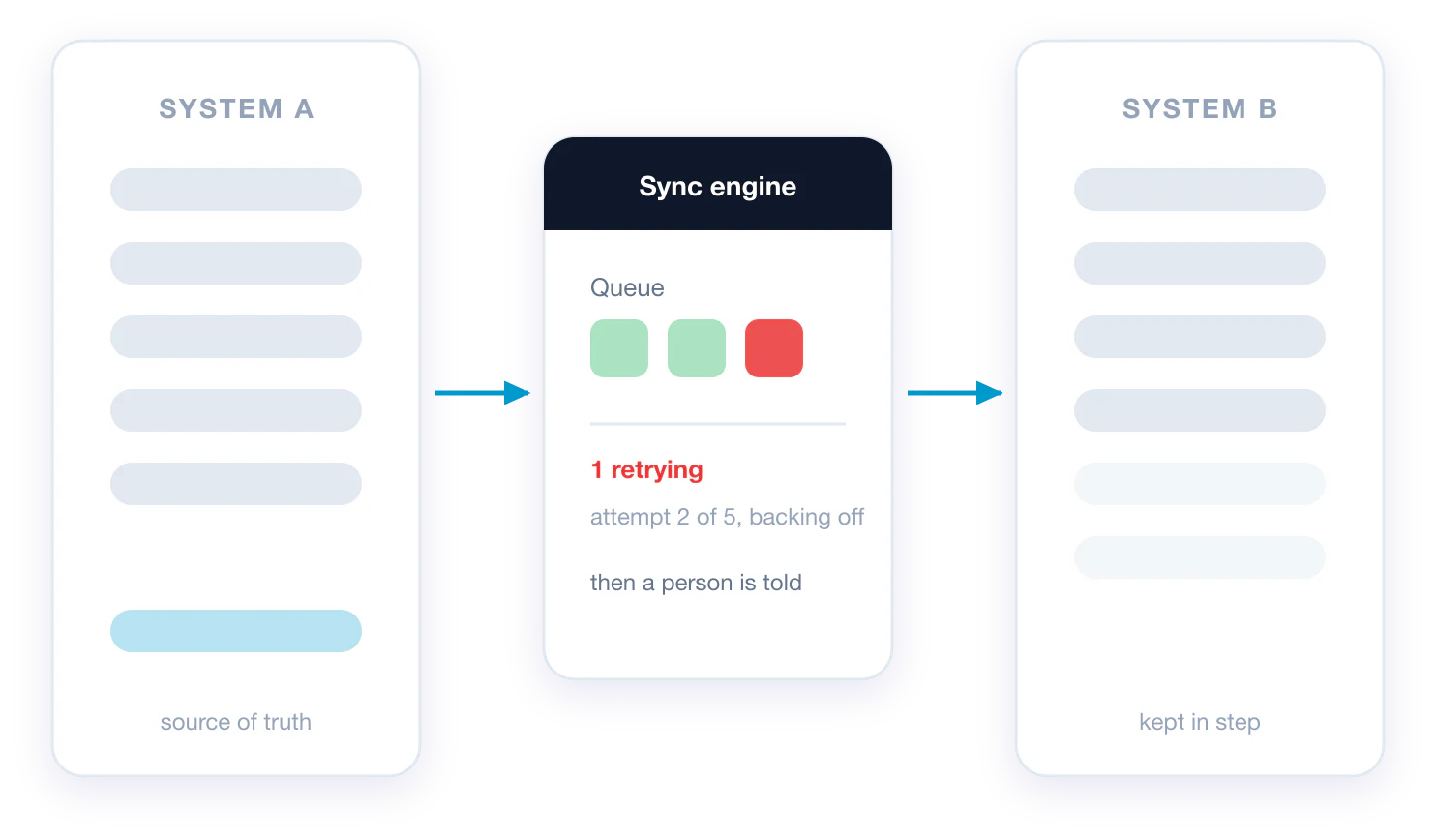
The starting point
An integration is a data agreement, not a connector
The technical connection is rarely the hard part. The hard part is agreeing what a customer record means in each system, which side wins when they disagree, and what happens when a message fails overnight. We settle that first, because integrations that skip it work in testing and fail in production.
The platforms your business runs on
We work across CRM, ERP, accounting, invoicing, e-commerce, logistics and e-signing.
Platform to platform
Salesforce, Odoo, Teamleader, Billit and the other systems that hold overlapping data. Wherever a record exists in two places, it should only be entered once.
Two-way synchronisation
Customers, orders, invoices and documents kept aligned in both directions, with clear rules about which system owns which field.
Custom web services
Purpose-built APIs and services where nothing off the shelf fits, including automation that removes recurring manual work.
With or without middleware
An integration platform earns its cost at a certain scale and is overhead below it. We advise on which side of that line you are on before you buy anything.
Architecture
Three ways to connect two systems
The right approach depends on how many interfaces you expect and who will operate them.
| Direct point to point | Integration platform | Custom service | |
|---|---|---|---|
| Best when | Two systems, stable requirements | Many systems, many flows | Logic no product handles |
| Setup cost | SupportedLowest | Partially supportedPlatform licence plus build | Partially supportedBuild only |
| Cost of the fifth integration | Not supportedGrows every time | SupportedMarginal | Partially supportedDepends on design |
| Monitoring and retries built in | Not supportedYou build them | Supported | Partially supportedYou build them, once |
| You can leave the vendor | Supported | Not supportedMigration is a project | SupportedYou own the code |
How we build them
From spreadsheet to running interface
Four steps, and the first two take longer than people expect.
- 1
Map the data
Which fields exist on each side, what they actually mean, and where the definitions disagree.
- 2
Agree the rules
Direction of truth, what triggers a sync, what a failure looks like, and who gets told about it.
- 3
Build and test with real data
Sample data hides the interesting cases. We test with volumes and edge cases from your actual systems.
- 4
Monitor and hand over
Logging, alerting and retry behaviour, documented, so a failed message is noticed by the system rather than by a customer.
Decide these early
Three questions that shape the build
Which system owns the field
For every shared field, one side has to win. Settling this per field is the difference between an integration people trust and one they work around.
How fast is fast enough
Real-time costs more to build and to operate than a scheduled sync. Plenty of processes are well served by every fifteen minutes.
What happens when it breaks
It will break, usually because the other system changed. The question is whether a monitor tells you, or a customer does.
Common questions
Before you get in touch
Which platforms do you integrate?
Salesforce, Odoo, Teamleader and Billit come up most often, alongside accounting and invoicing tools, webshops, logistics platforms and e-signing. The approach is the same for any two systems that hold overlapping data.
Do we need an integration platform?
Often not. Below a handful of interfaces a platform licence is overhead. Above that it starts paying for itself in monitoring and reuse alone. We will tell you which situation you are in.
Our vendor says their API can do it. Why involve you?
An API is a capability, not an integration. Someone still has to decide the mapping, handle failures and own it afterwards, and that is what determines whether it still works next year.
Can you take over an integration someone else built?
Yes, and this is common. Bring whatever documentation exists. If none exists, the first piece of work is writing down what it currently does.
Next step
Tell us which two systems are not talking
You do not need a specification. Naming the systems and the manual work between them is enough for a useful first conversation.