Need help from our team? Grant Adure temporary login access to your Salesforce org so we can investigate and resolve your issue directly — no password sharing required.
1
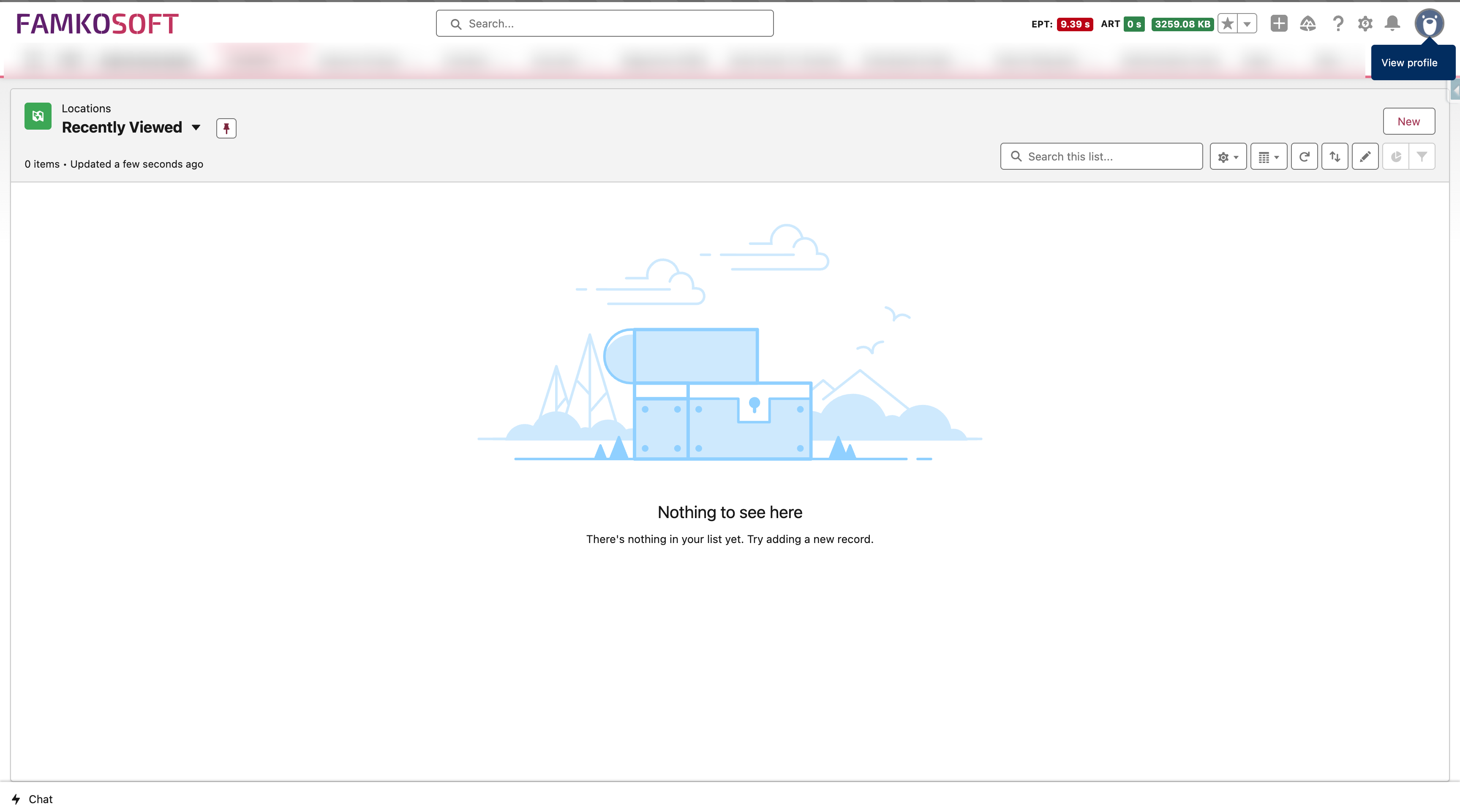
Click your user avatar in the top-right corner of Salesforce and navigate to 'Settings'.
2
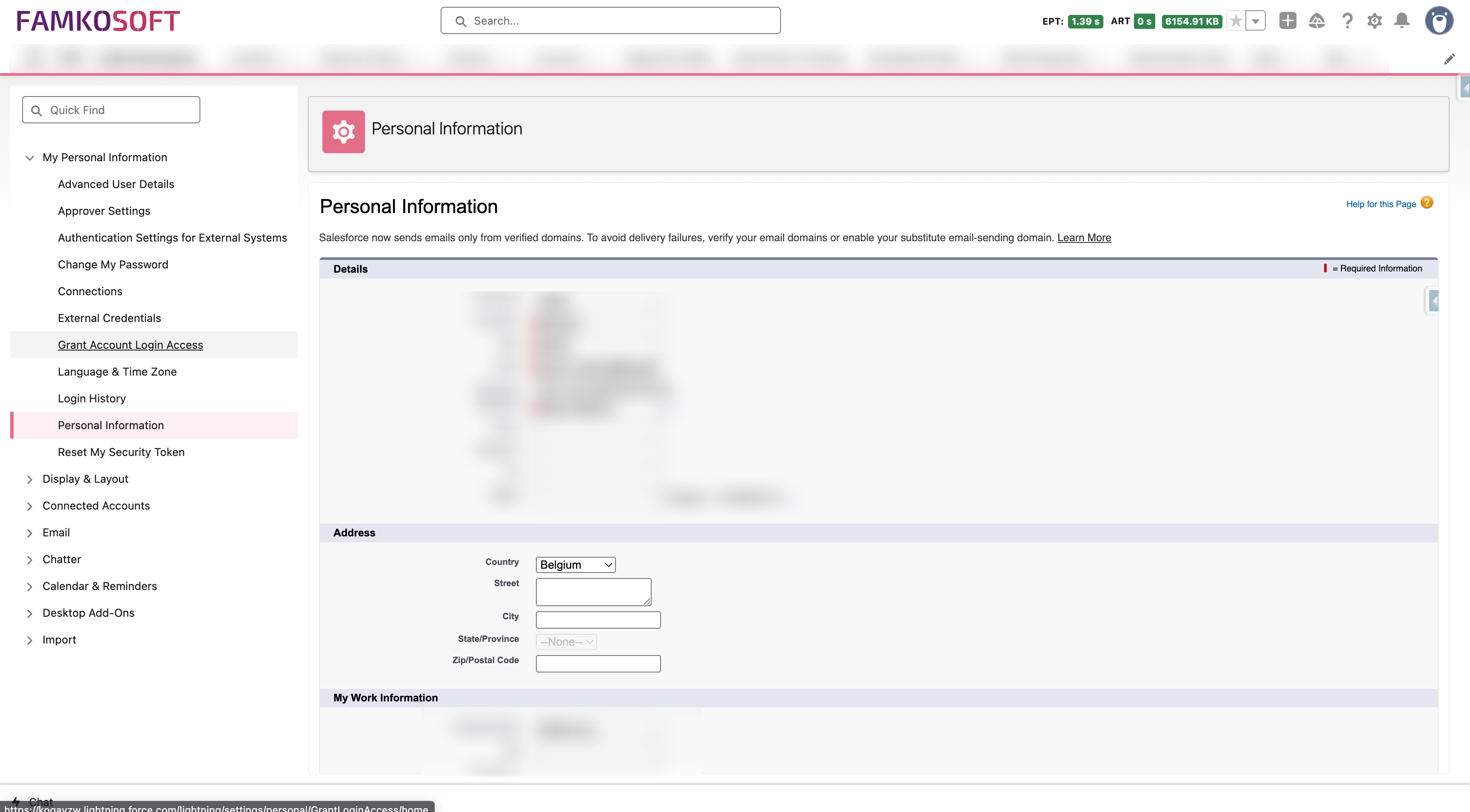
In the Settings menu, use the Quick Find search box and type 'Grant Account Login Access', then click it in the results.
3
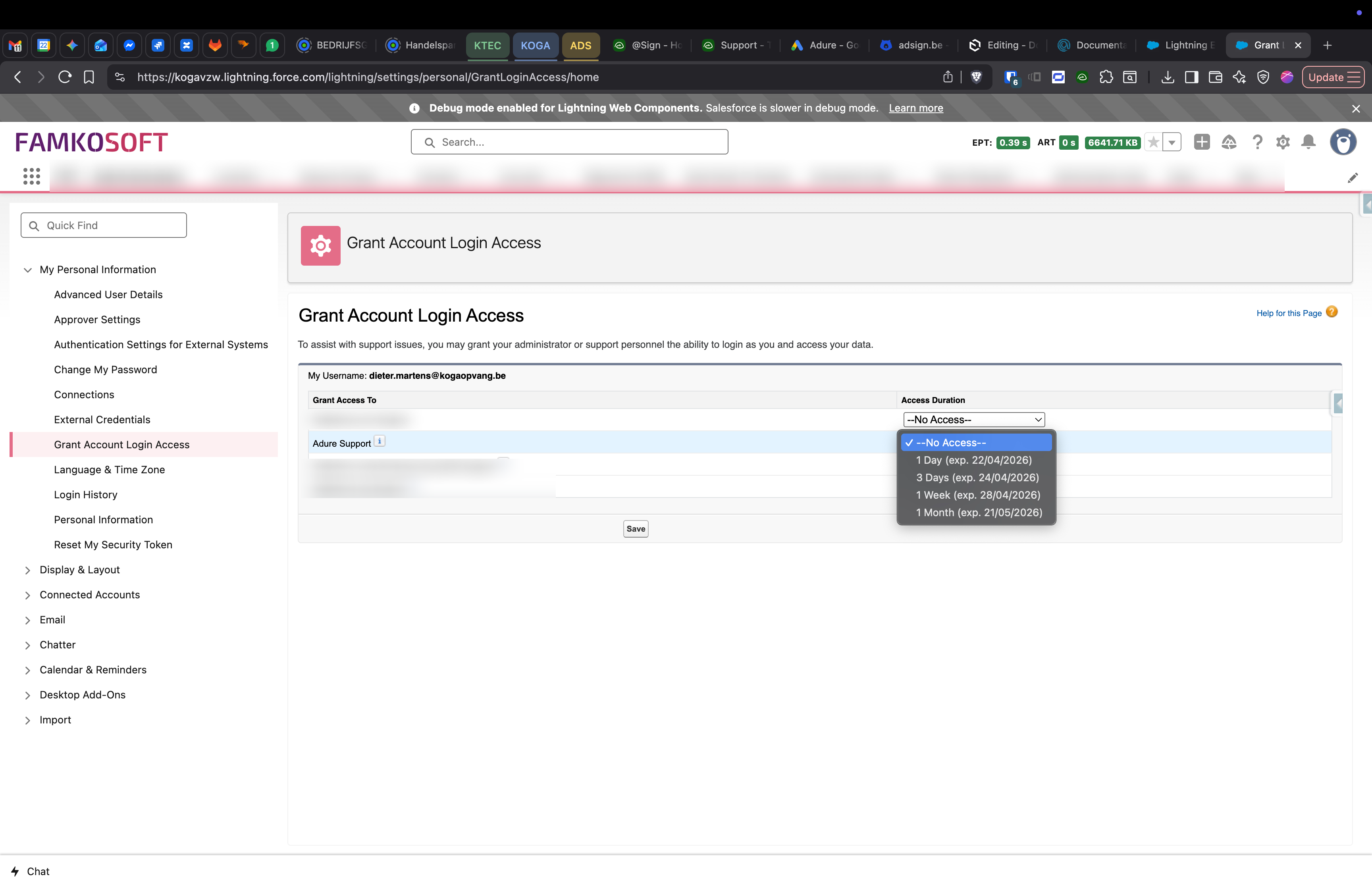
Find the 'Adure Support' row in the list and use the dropdown to select an access duration. We recommend '1 Week' — long enough to investigate and resolve your issue.
Drag to pan
4
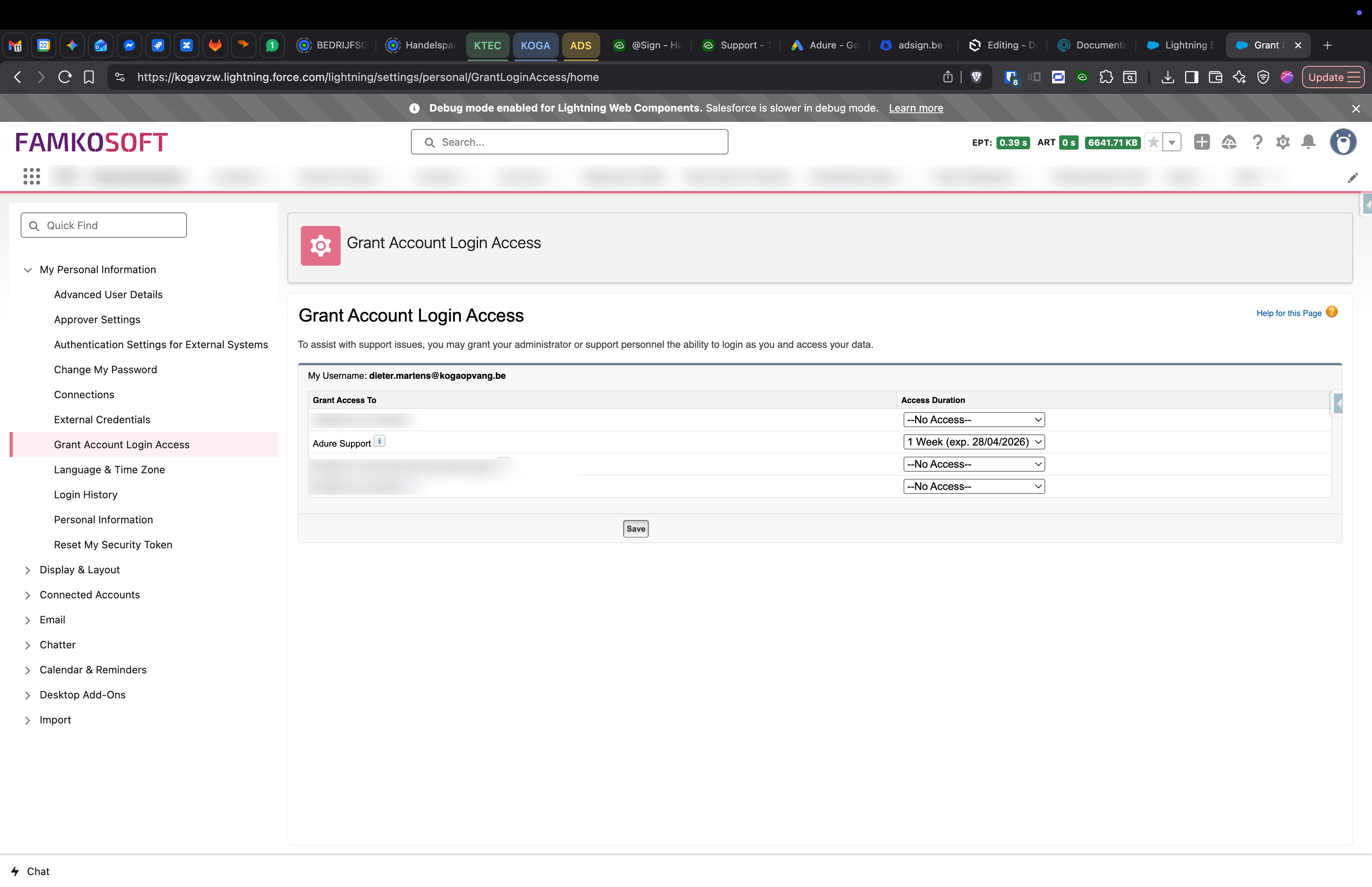
Once you've selected the duration, click 'Save' to confirm. The Adure support team will now be able to log in as you to assist with your issue.
Drag to pan